WebTools — web client for WinCC Open Architecture

WebTools OAClient is a modern browser-based HMI that replaces the native WinCC OA UI client. Deploy operator stations without thick-client installs — 1,000+ simultaneous web sessions on one WebTools server.

WebTools web platform

Professional visualization of controlled database and process parameters for administrators, developers, and analysts. WebTools is a client–server application with a built-in engineering environment: create HMIs, bind live data, and publish to operators — typically without writing code.

WinCC OA web client (OAClient)

Full-featured web replacement for the standard WinCC Open Architecture UI client. WSS connectivity to WinCC OA 3.x / 4.x servers.

Massive concurrency

Designed for control rooms and enterprise roll-outs: from pilot projects to 1,000+ concurrent browsers and up to 1M subscribed data points.

Multi-language HMI

Operator interfaces with simultaneous multilingual support — aligned with global production and CMM scenarios.

Where WebTools is used

Production & process industries

Live monitoring, alarms, trends, and operator dialogs for continuous and batch processes.

Control centers

Many operators on one infrastructure — web thin clients instead of hundreds of UI installations.

Analytics & dashboards

Combine WinCC OA tags with SQL and time-series sources in unified screens.

Engineering & retrofit

Migrate or extend existing WinCC OA projects with modern HTML5 graphics and responsive layouts.

OAClient vs native WinCC OA UI

CriterionNative WinCC OA UIWebTools OAClient
DeliveryInstalled thick client per workstationAny modern browser (Chrome, Edge, Firefox, Safari, Yandex)
Concurrent usersLimited by classic client architecture1,000+ web clients per WebTools server (sized)
EngineeringWinCC OA GEDI / paradigmsBuilt-in widget & screen editors, menus, themes
Data sourcesPrimarily WinCC OAWinCC OA + PostgreSQL, InfluxDB, MES/ERP, third-party SCADA
UpdatesClient rollout on each PCCentral server update — operators refresh the page

Reference server sizing

Concurrent clientsSubscribed points (approx.)Reference server
up to 105,0004 GB RAM, 4 cores
up to 10050,0008 GB RAM, 4 cores
up to 500300,00012 GB RAM, 6 cores
up to 1,0001,000,00024 GB RAM, 8 cores

Architecture & integrations

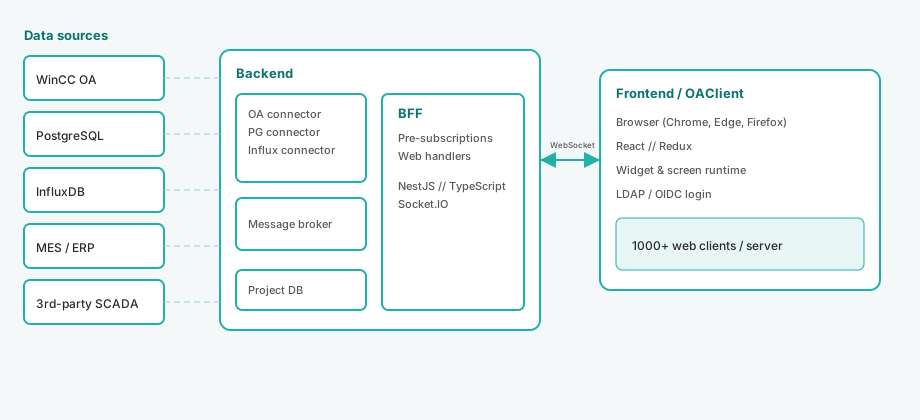
WebTools follows a layered architecture: connectors and message broker on the backend, BFF (backend-for-frontend) for subscriptions, and a React-based presentation tier in the browser. WinCC Open Architecture is the primary SCADA path, but the same runtime can consume databases and external systems in parallel.

WebTools architecture: data sources, backend connectors, BFF, browser OAClient

Logical architecture (based on product description; labels use WinCC OA, not legacy naming)

Backend

WinCC OA connector, PostgreSQL & InfluxDB connectors, message broker — acquisition, normalization, and exchange of live data.

BFF

Pre-subscriptions and handlers optimized for the web UI — efficient push of tag updates over WebSocket to many clients.

Frontend (OAClient)

Rendered screens and widgets in the browser; engineering tools for layout, dynamics, and security zones.

Connected data sources

WinCC Open ArchitecturePrimary SCADA — data points, alarms, events via WSS connector (v3 / v4). Replaces dependency on the native UI client for visualization.
PostgreSQLDirect SQL connectivity for reports, master data, and hybrid screens (tags + relational data).
InfluxDBTime-series historian for trends and high-frequency metrics alongside process tags.
MES / ERPManufacturing and enterprise layers — orders, KPIs, material flows in operator context.
Third-party SCADAExternal automation platforms through dedicated connectors — unified HMI across heterogeneous plants.
LDAP / OIDCCorporate authentication — SSO and directory integration for role-based access.

Typical deployment flow

  1. Install WebTools serverLinux or Windows, nginx/Apache, PostgreSQL 13+, Node.js 18+.
  2. Configure connectionsWinCC OA server, databases, optional MES/ERP endpoints in the engineering UI.
  3. Engineer screensWidget & screen editors, menus, user zones, multilingual resources.
  4. Publish to operatorsOperators open HTTPS URL — no UI client installation; scale to 1,000+ sessions.

Product capabilities

Core functions from the WebTools OAClient specification — visual development, runtime, and administration in one product.

Widget editor

Composite controls with properties, events, aliases, layers; import/export to file or project database; undo/redo and simulation.

Screen editor

Process mimics and dashboards: standard symbols, dynamics, input dialogs, device templates and references.

Interface configurator

Application shell — top/side/bottom panels, menus, navigation between screens and roles.

Connections & data points

Model tags from WinCC OA or map external sources; subscription management for high point counts.

Users & security

Users, groups, responsibility zones, permissions; switch user at runtime; LDAP and OpenID Connect.

Themes & languages

Light/dark themes and runtime language switching for international operator teams.

HTML5 objects

Embed web content and custom HTML widgets inside supervised graphics.

Sequence diagrams

Document and debug interaction flows between operators, screens, and data sources.

Technology stack

Frontend

React, Redux, TypeScript — responsive HMI in the browser.

Backend

NestJS, TypeORM, Socket.IO, C++ connectors — real-time and persistence.

Operations

99% availability target, <1% error rate, 100+ req/s in reference tests.

Screenshots

Real WebTools OAClient UI from the user guide.

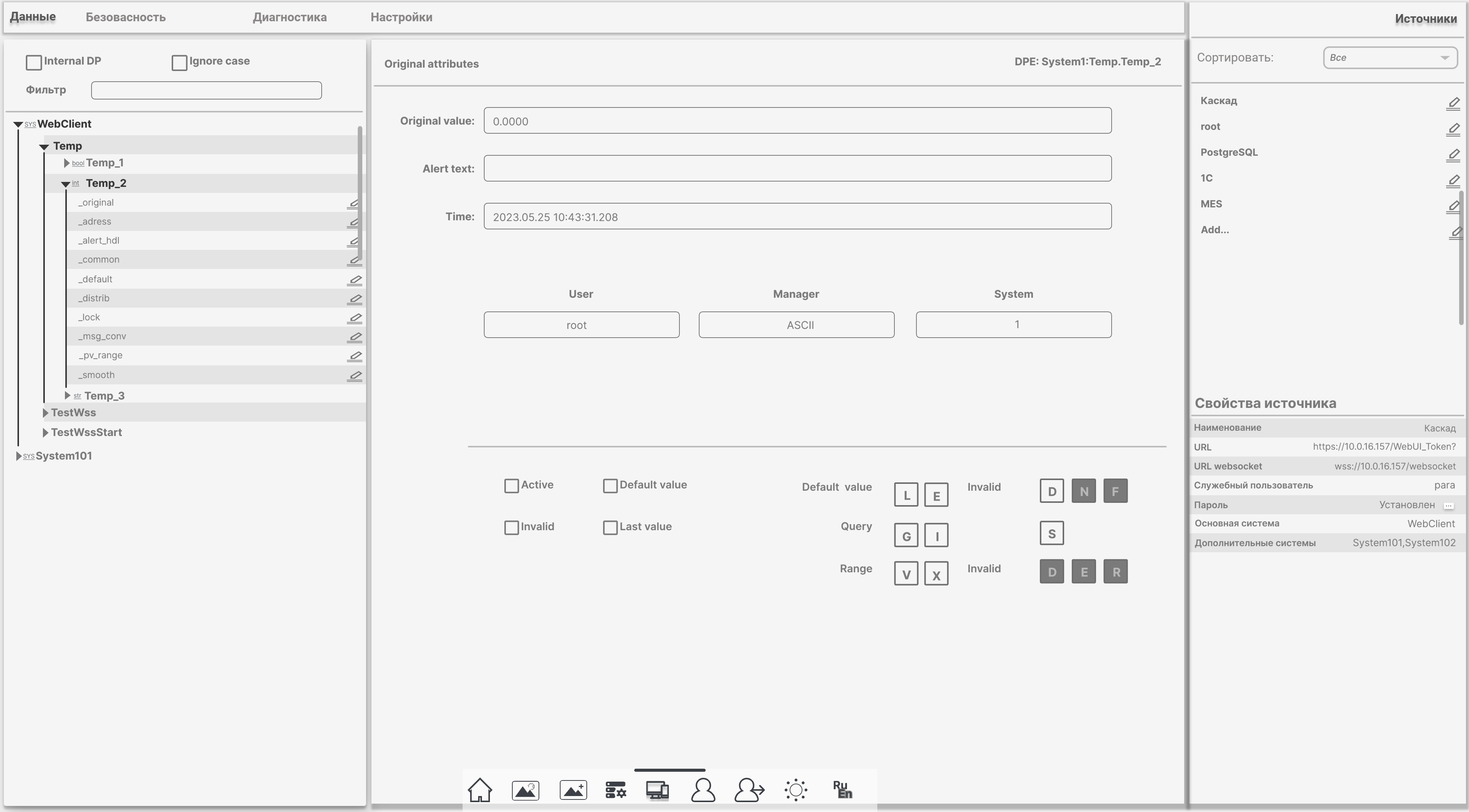
WebTools data administration: WinCC OA tree, tag attributes, data sources
Data & sources — WinCC OA tag browser, live values, connections to PostgreSQL, MES, ERP
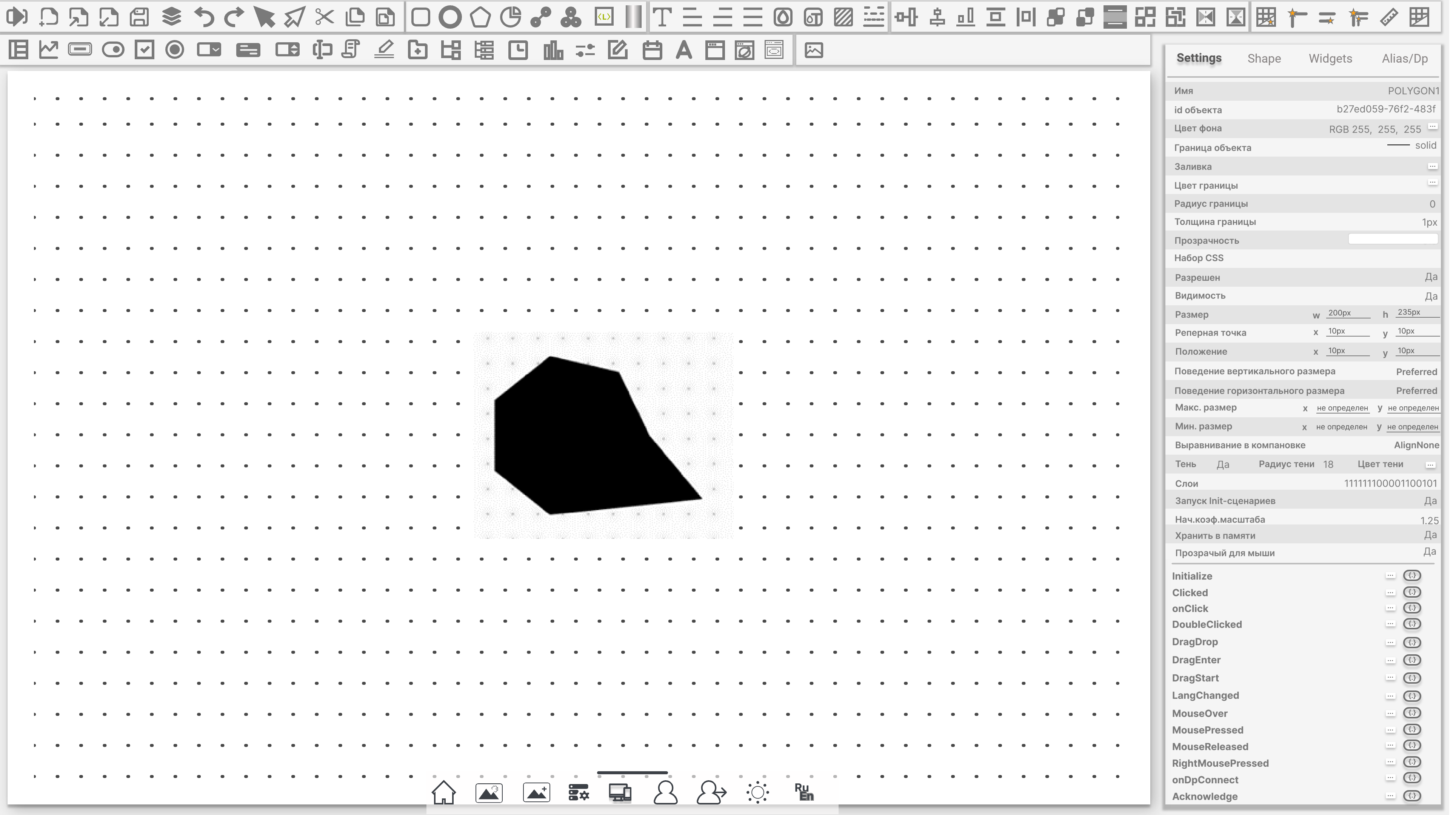
WebTools screen editor with drawing tools
Screen editor — vector graphics, dynamics, events (onDpConnect, LangChanged)
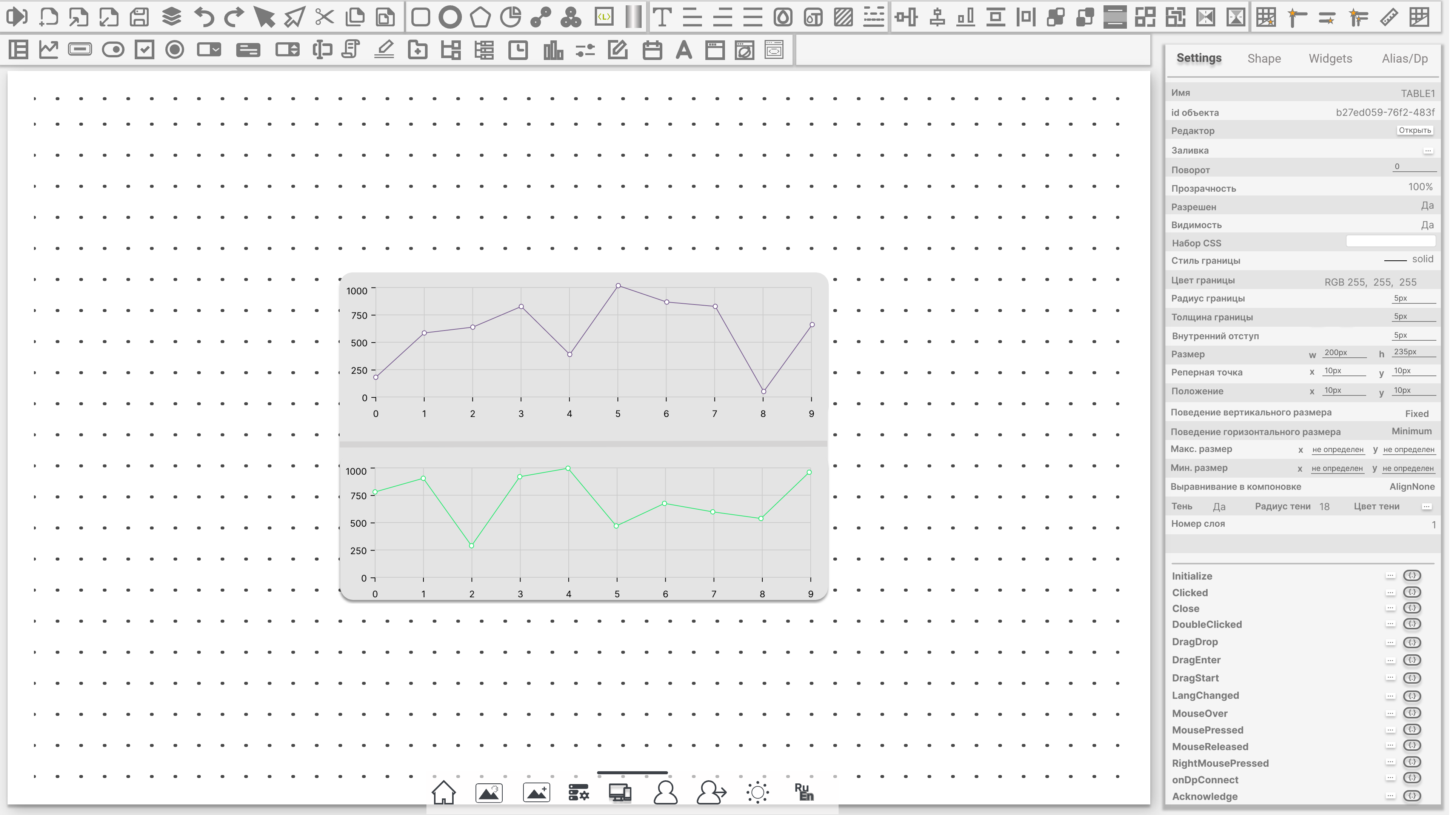
WebTools widget editor with trend charts
Widget editor — charts and tables on the engineering canvas
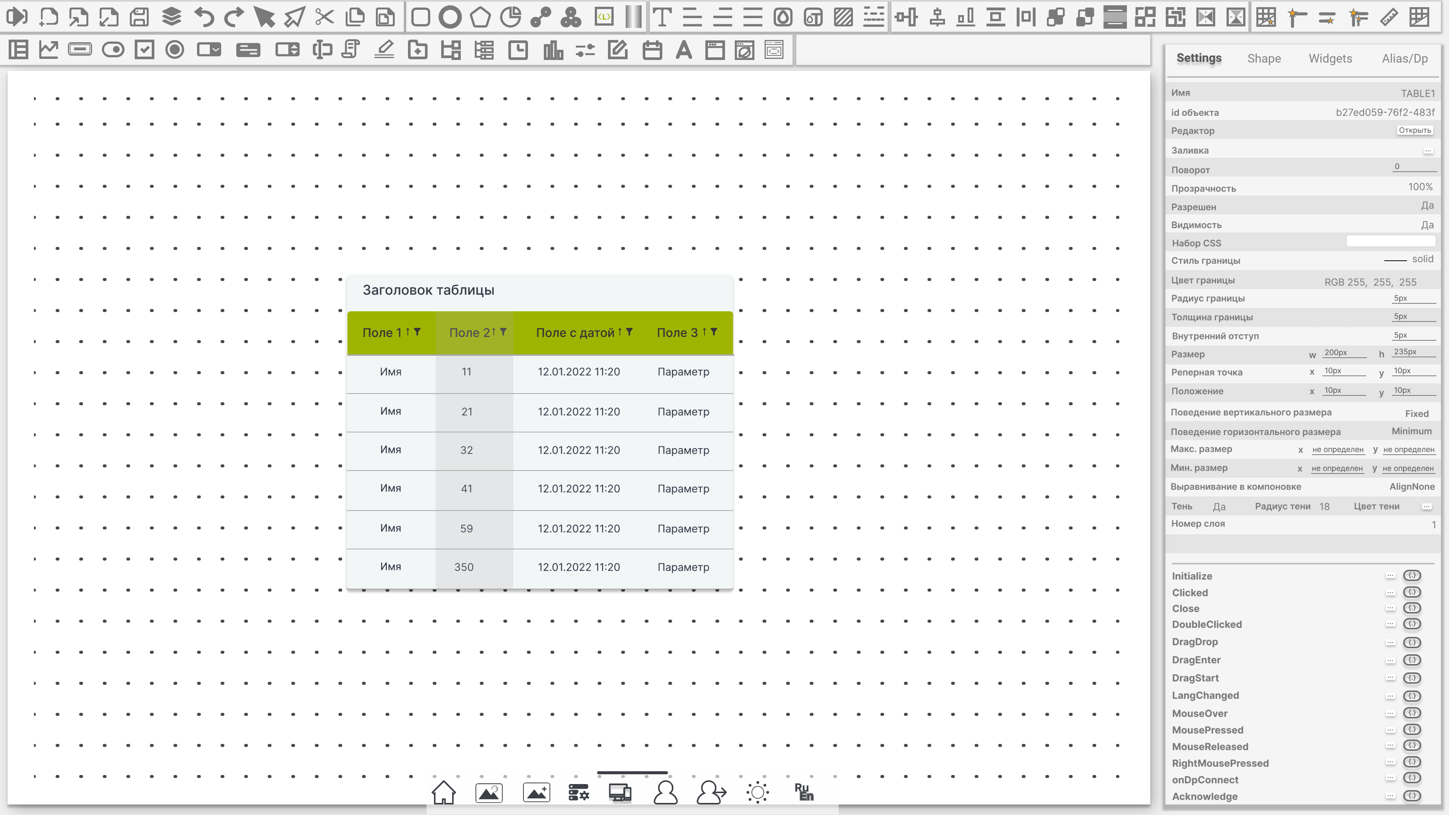
WebTools table widget configuration
Table widget — headers, fields, scripting per cell
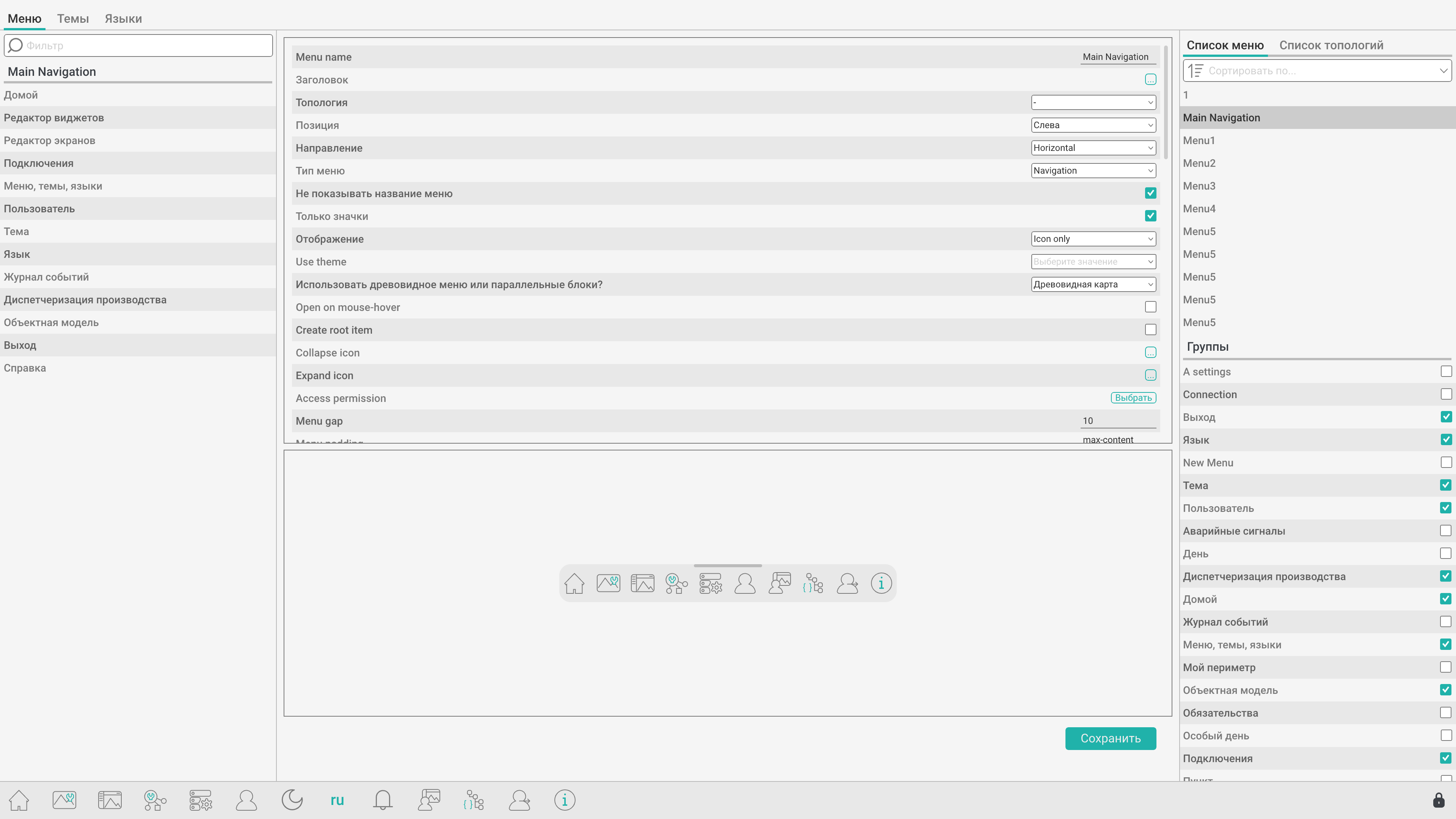
WebTools menu and navigation configurator
Interface configurator — menus, topology, icon bar preview
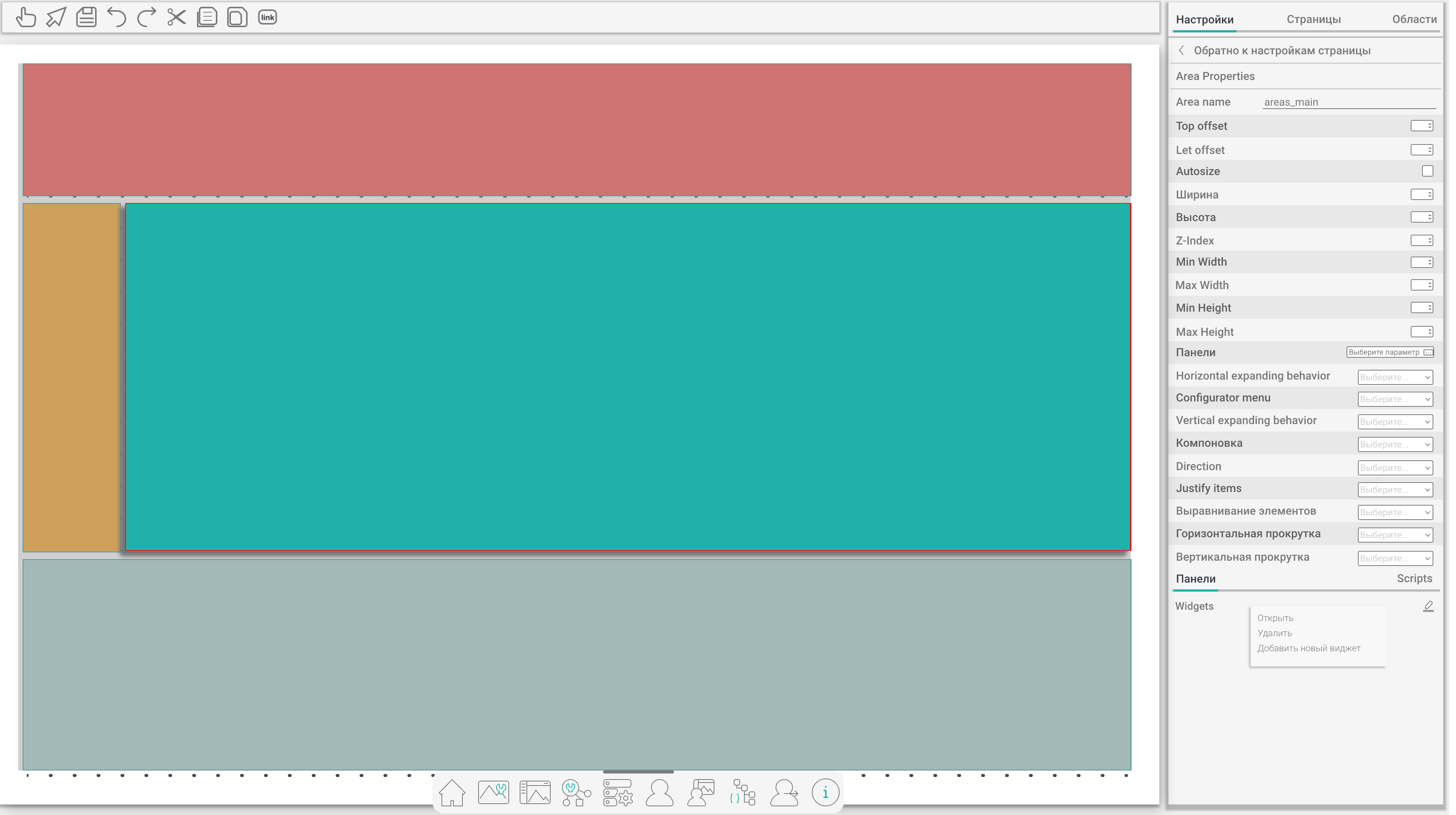
WebTools screen layout areas editor
Screen layout — header, side panel, main area, footer regions
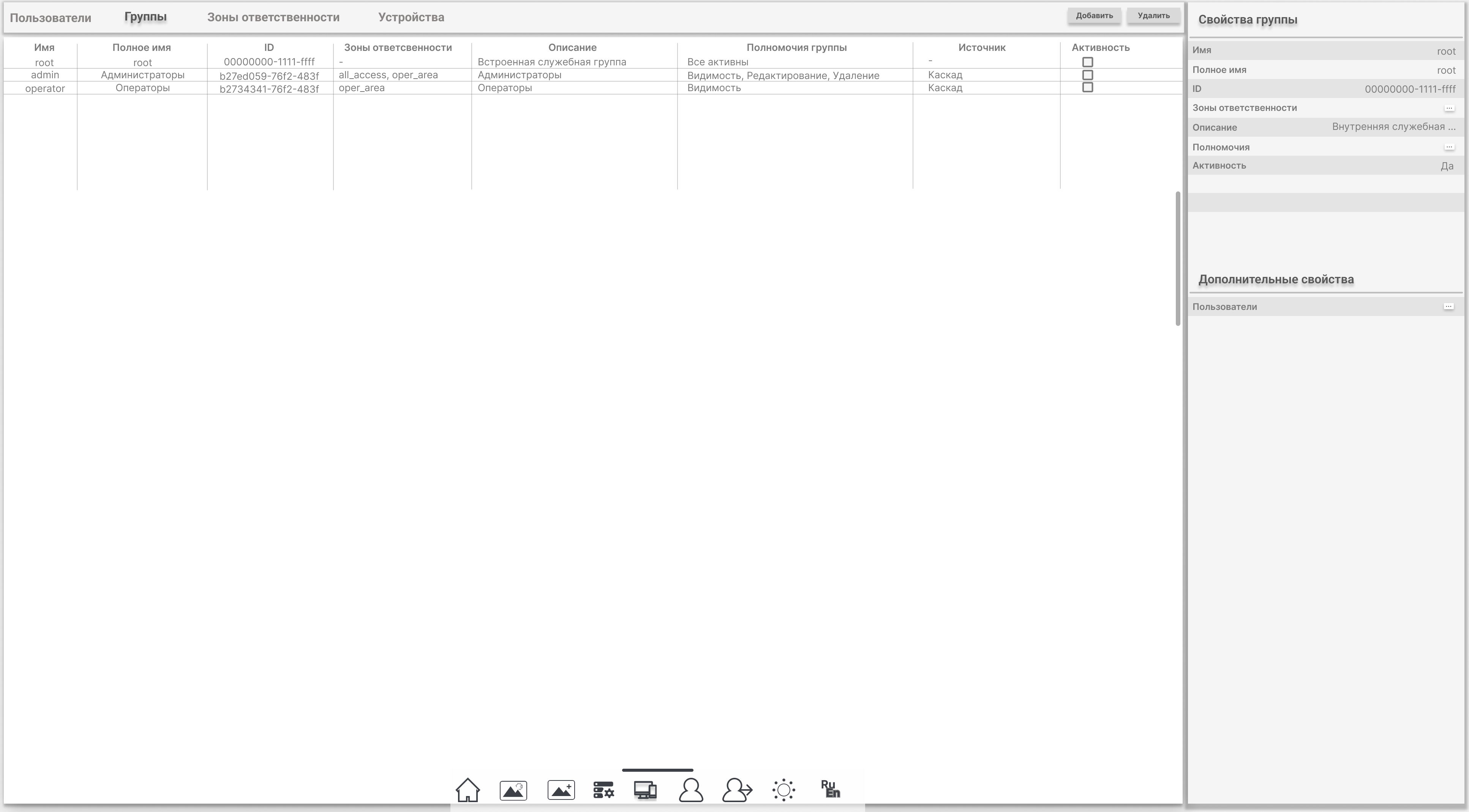
WebTools users and groups administration
Security — users, groups, responsibility zones, permissions
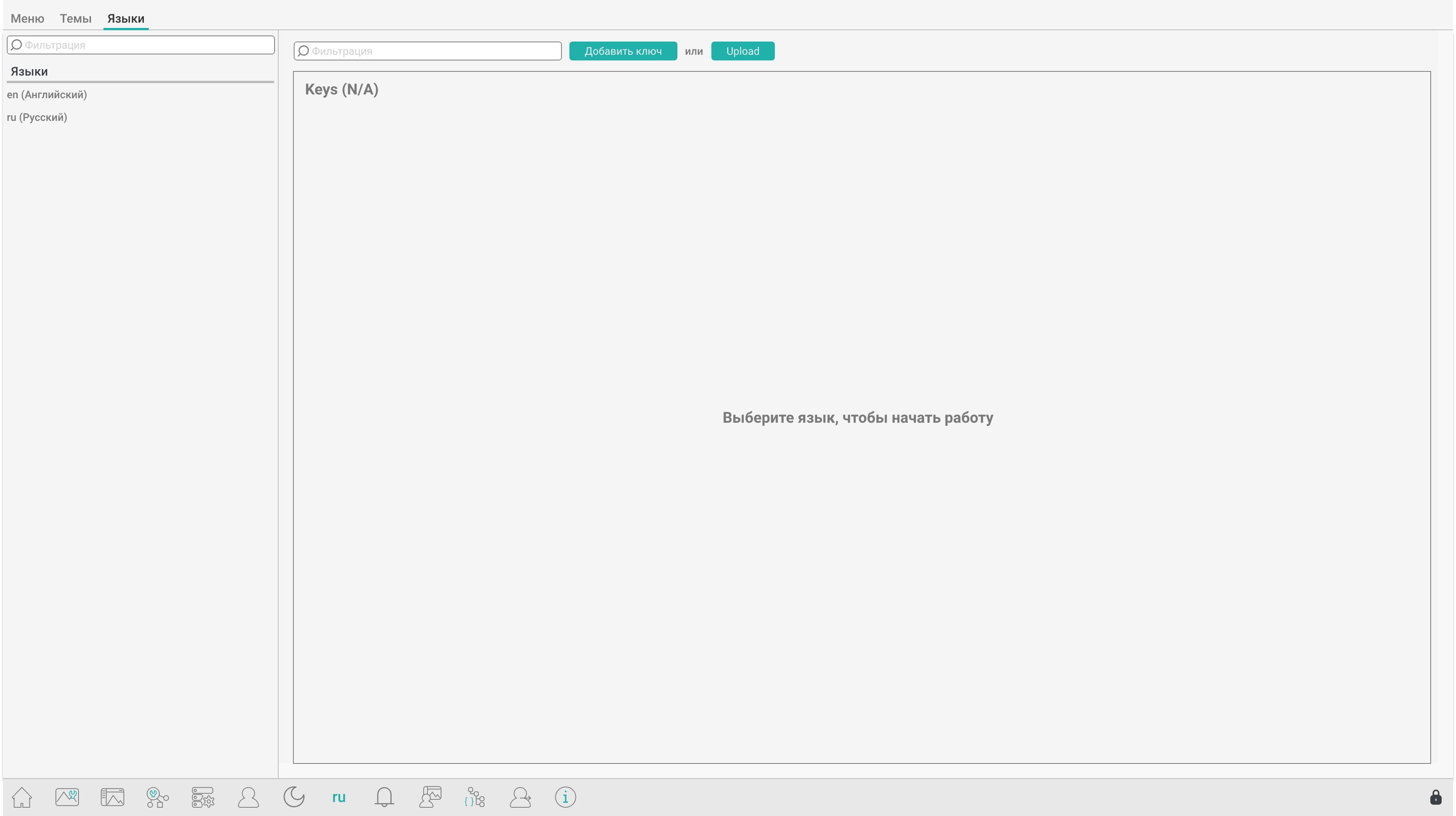
WebTools multilingual resource editor
Languages — translation keys for runtime Ru/En switching

Demo

Full user guide, quick-start, and WinCC OA integration chapters are available online. Request a guided demo with your tag database, redundancy, or PostgreSQL hybrid scenario.

Contacts

Get in touch about WebTools OAClient.